File Encryption in 2025: Essential Guide to Protect Your Data
File Encryption in 2025 has become one of the most essential practices for individuals and businesses alike. With cyberattacks, ransomware, and unauthorized access on the rise, protecting sensitive files is no longer optional — it’s mandatory. Whether you’re storing personal documents, financial records, or business files, encryption ensures that only authorized users can access them.
In this step-by-step guide, you’ll learn what file encryption is, why it matters in 2025, and the best tools and strategies to keep your data safe.
1. What Is File Encryption and Why Does It Matter in 2025?
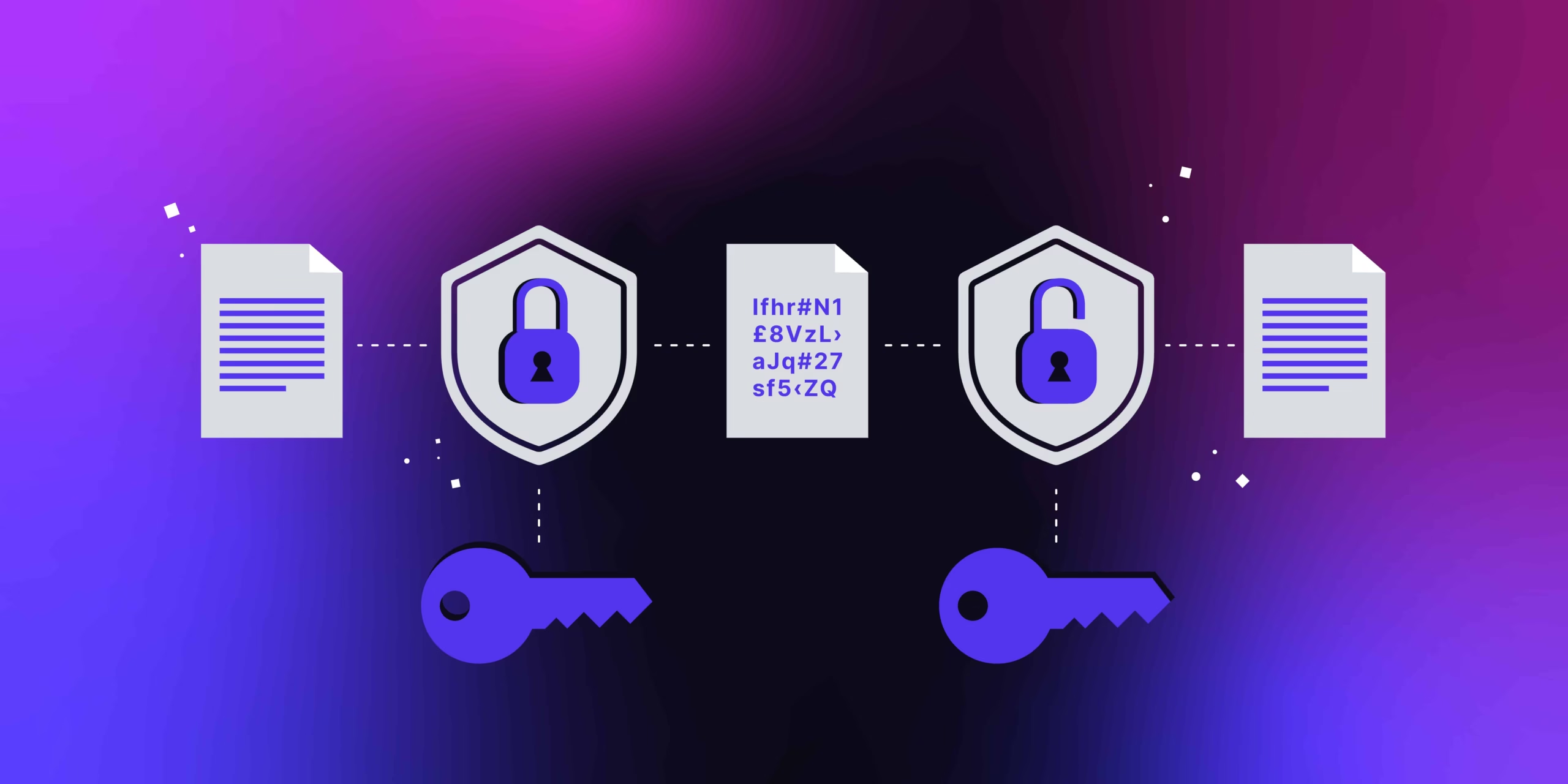
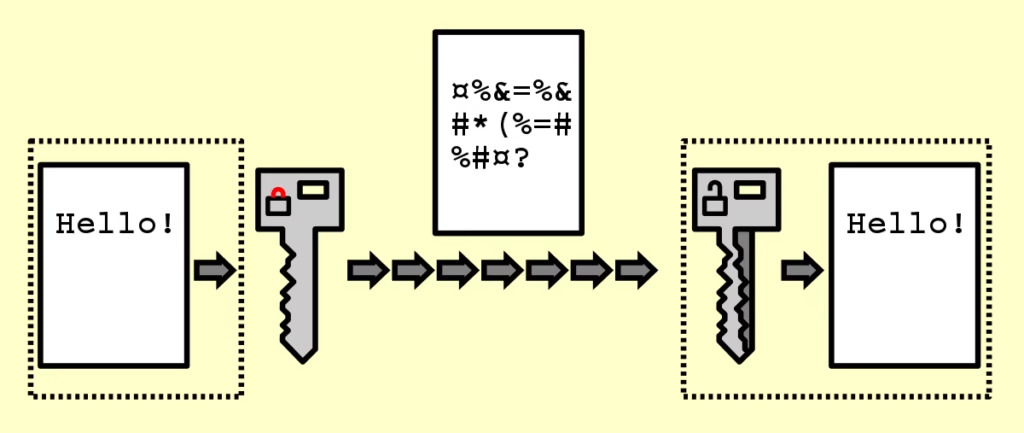
File encryption is the process of converting readable data into a scrambled code that can only be unlocked with a decryption key or password.
In 2025, encryption matters more than ever because:
- Cybercriminals are using AI to launch more sophisticated attacks.
- Remote work has expanded the number of devices accessing sensitive files.
- Cloud storage is now the default, making protection critical.
Without encryption, a stolen laptop, compromised cloud account, or hacked email could lead to devastating leaks.
2. Types of File Encryption in 2025
There are two main types of file encryption:
- Symmetric Encryption – A single password is used for both encryption and decryption. Fast but requires secure sharing of the password.
- Asymmetric Encryption – Uses a public key for encryption and a private key for decryption. More secure, commonly used for sensitive communication and cloud file storage.
Today, most modern tools combine both methods for maximum protection.
3. Step-by-Step Guide: How to Encrypt Your Files in 2025
Here’s a simple roadmap you can follow today:
Step 1: Choose an Encryption Tool
Popular options include VeraCrypt, AxCrypt, and BitLocker (Windows) or FileVault (MacOS).
Step 2: Create a Strong Password
Use a unique combination of letters, numbers, and symbols. In 2025, password managers like 1Password or Bitwarden make this easier.
Step 3: Encrypt Individual Files or Folders
Decide whether you want to encrypt only sensitive documents or your entire drive.
Step 4: Backup Encrypted Files
Always store a copy of your encrypted files on a secure external drive or cloud provider.
Step 5: Test Your Encryption
Verify that your files open correctly with your key before deleting the original versions.
4. Best File Encryption Tools in 2025
Here are some of the most trusted tools for file encryption in 2025:
- VeraCrypt – Open-source and powerful for both individuals and enterprises.
- AxCrypt – Simple and user-friendly, great for beginners.
- BitLocker – Integrated with Windows, strong option for business users.
- NordLocker – Encrypted cloud storage solution.
- FileVault 2 – Best choice for Mac users.
5. Common Mistakes to Avoid When Encrypting Files
Even with the right tools, mistakes can leave your files vulnerable. Avoid these errors:
- Using weak or reused passwords.
- Forgetting to back up encrypted files.
- Sharing encryption keys over unsecured channels.
- Failing to update software regularly.
File Encryption in 2025 is more than just a technical measure — it’s your last line of defense against data breaches, ransomware, and unauthorized access. As cyber threats evolve, businesses and individuals who fail to prioritize encryption risk losing not only sensitive files but also their reputation, financial stability, and customer trust.
Think about it: your laptop could be stolen, your cloud account hacked, or your company server attacked overnight. Without encryption, everything inside is exposed. With encryption, however, even if attackers gain access, your files remain unreadable and useless to them. That’s the power of encryption in 2025.
By following this guide, you now know:
- What file encryption is and why it matters more than ever.
- Different types of encryption and how they’re applied.
- Step-by-step methods to encrypt files on any device.
- The best tools in 2025 to keep your documents safe.
- Critical mistakes to avoid so your protection isn’t compromised.
Whether you’re a freelancer handling client contracts, a student storing research work, or a business protecting confidential data, encryption gives you peace of mind. It ensures that your digital assets are shielded against prying eyes, no matter where they are stored.
🚀 Take action today: choose a reliable encryption tool, set strong passwords, and make encrypted backups. Remember — cybersecurity is not about being perfect, it’s about being prepared.
In 2025 and beyond, data protection is not a luxury — it’s a necessity. By embracing file encryption now, you’re not just protecting files, you’re safeguarding your future.