

How to Use Automation Apps to Save 10+ Hours Every Week in 2025
Time is the most valuable resource for both professionals and businesses in 2025. With countless apps, notifications, and repetitive tasks eating away at productivity, many people are asking: How can I reclaim my time?

The answer lies in automation apps. By automating repetitive workflows—like sending emails, updating spreadsheets, or posting on social media—you can save 10+ hours every week without working harder.
In this guide, we’ll explore the top automation apps of 2025 and show you how to use them to simplify your life and maximize efficiency.
Why Automation Apps Matter in 2025
Automation is no longer a luxury—it’s a necessity. Here’s why:
- ⏱ Save time: Repetitive tasks like data entry, scheduling, and file sharing are automated.
- 💼 Boost productivity: Focus on meaningful work instead of manual processes.
- 💰 Cut costs: Reduce reliance on extra staff or freelancers.
- 🌍 Work smarter: Seamlessly connect your favorite apps and tools.
By using automation apps, even small teams can compete with larger businesses and individuals can free up hours for creativity, learning, or rest.
Best Automation Apps to Try in 2025
1. Zapier — The All-in-One Automation Hub
Zapier remains the most popular automation platform in 2025. It connects over 5,000 apps, from Gmail to Slack, so you can build “Zaps” that automate tasks.
Use cases:
- Send Slack notifications when you receive an important email.
- Automatically save new leads from Facebook Ads into Google Sheets.
- Post new blog articles directly to LinkedIn.
Why it’s great: Zapier’s intuitive interface makes it easy for beginners while offering advanced workflows for power users.
2.Make (formerly Integromat) — Visual Workflows
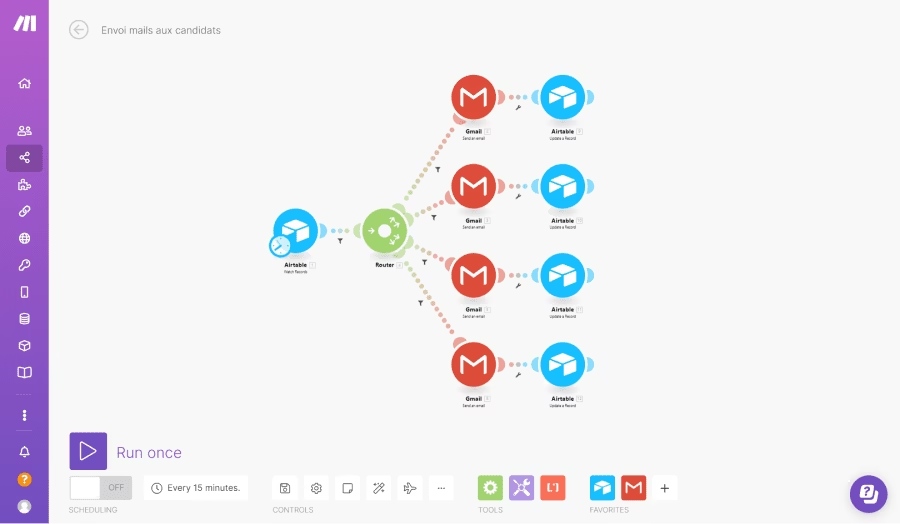
If you prefer visual automation, Make is the go-to tool. It lets you build complex workflows with drag-and-drop scenarios.
Use cases:
- Sync customer data between Shopify and a CRM.
- Automate invoice creation from Stripe payments.
- Trigger email campaigns based on form submissions.
Why it’s great: Perfect for small businesses and freelancers who need advanced logic without coding.
3. n8n — The Open-Source Option
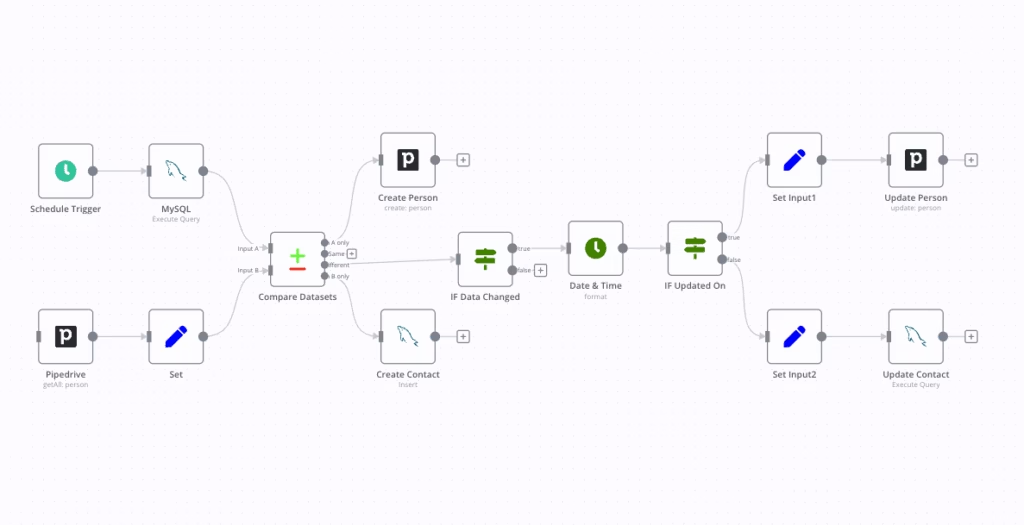
n8n is an open-source automation app that gives you full control over your workflows. Unlike Zapier or Make, it can run on your own server, making it cost-effective and privacy-friendly.
Use cases:
- Automate data flows between self-hosted apps.
- Build custom integrations for niche tools.
- Maintain control over sensitive business data.
Why it’s great: Developers and privacy-conscious users love n8n’s flexibility.
4. IFTTT — Quick and Easy Automations
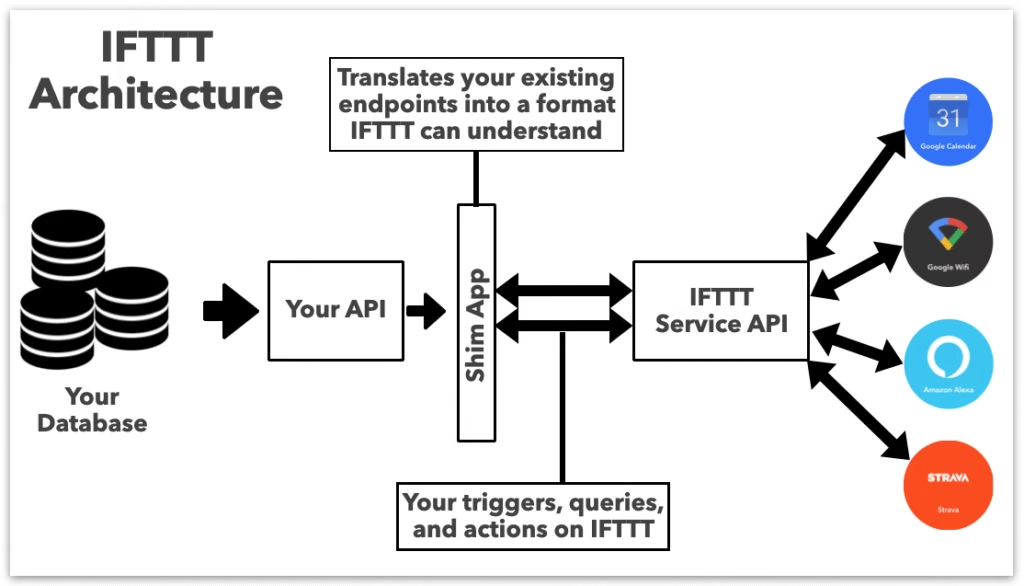
IFTTT (If This Then That) is a lightweight automation tool that’s great for personal use and smart home integration.
Use cases:
- Turn on smart lights when you arrive home.
- Sync fitness app data with Google Sheets.
- Automatically back up new phone photos to cloud storage.
Why it’s great: Simple setup for beginners, especially useful for smart home automation.
5. Bardeen — AI-Powered Automation
A rising star in 2025, Bardeen combines automation with AI intelligence. Unlike traditional tools, it learns from your habits and suggests automations you didn’t even know you needed.
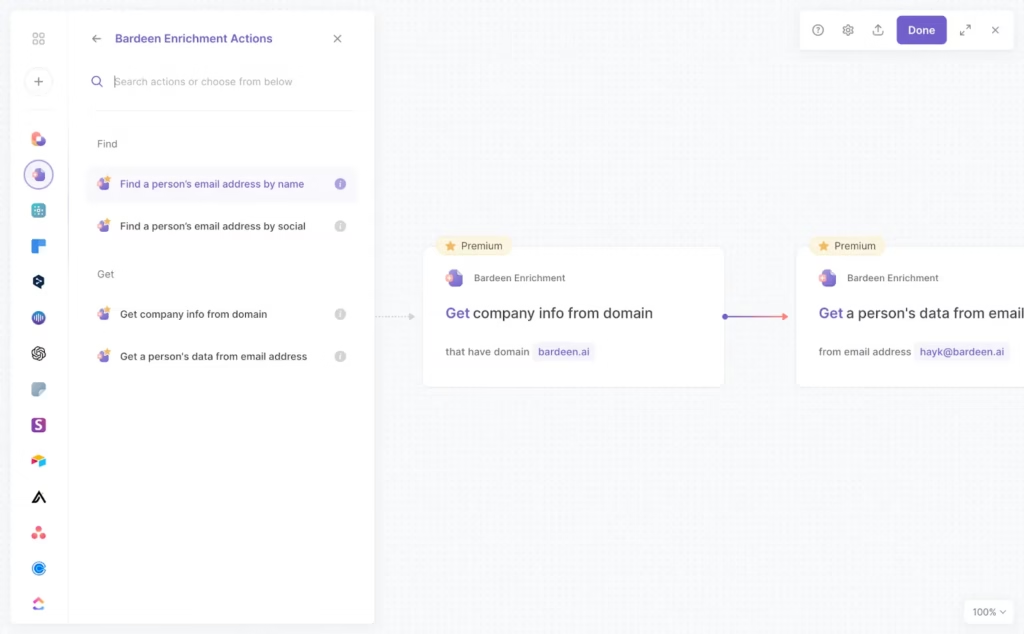
Use cases:
- Summarize meeting notes automatically.
- Collect LinkedIn leads into a spreadsheet.
- Scrape web data without manual copying.
Why it’s great: Bardeen’s AI-first approach makes automation smarter and more proactive.
How to Save 10+ Hours Every Week with Automation
Here’s how you can reclaim your time:
- Identify repetitive tasks → Emails, file transfers, data entry.
- Pick the right tool → Zapier for all-in-one, Make for visuals, n8n for privacy, IFTTT for personal, Bardeen for AI.
- Start small → Automate one or two workflows first.
- Scale up → Expand automations as you get comfortable.
- Review regularly → Update workflows to stay efficient.
On average, users who embrace automation report saving 10–15 hours every week, time that can be reinvested into growth, learning, or relaxation.
Automation apps are no longer optional in 2025—they’re essential for staying productive and competitive. Whether you’re a freelancer, student, or small business owner, tools like Zapier, Make, n8n, IFTTT, and Bardeen can save you hours of manual work every single week.
👉 Start small, automate wisely, and watch as your 10+ hours of free time every week transforms the way you work and live.





One Comment