
Best Productivity Apps for Remote Teams in 2025
Remote work has become a standard practice for businesses around the world, and in 2025, productivity apps are more essential than ever. These tools help teams communicate efficiently, track tasks, collaborate on projects, and maintain high performance from any location. The right combination of apps can dramatically improve workflow, reduce bottlenecks, and ensure that deadlines are met consistently.
As organizations continue to adopt hybrid and fully remote models, choosing productivity apps that integrate seamlessly with existing workflows is crucial. AI-powered features and automation have also become key differentiators, helping teams save time and work smarter, not harder..
1. Asana: Project Management Made Easy
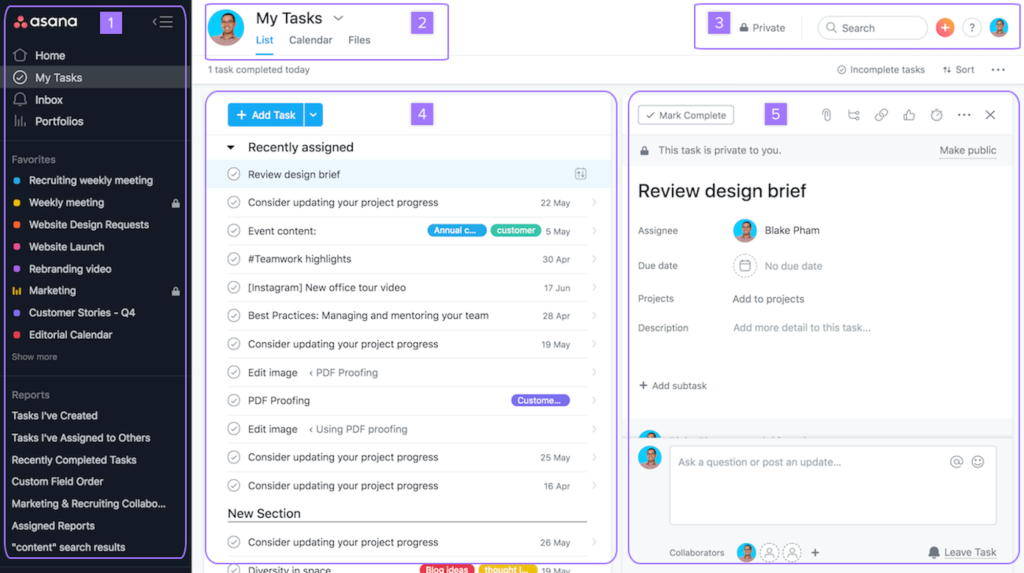
Asana is a versatile project management tool that allows teams to create, assign, and track tasks with ease. In 2025, Asana’s AI-powered workflow suggestions can help teams identify priorities, predict deadlines, and optimize project timelines. The platform also supports file sharing, comments, and integration with communication apps like Slack, making it an all-in-one solution for remote collaboration. Teams can create visual project boards or lists to suit their preferred workflow style.
2. Slack: Communication at Its Best
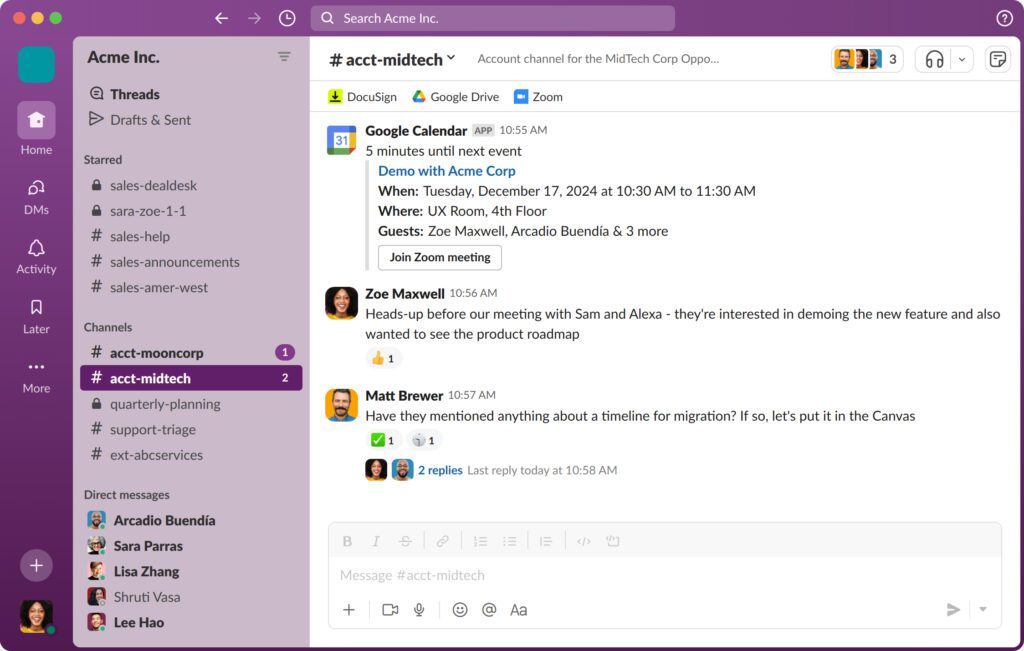
Slack is no longer just a chat app—it’s a full-featured communication platform. Remote teams can organize discussions into channels, automate reminders, and integrate with tools such as Google Drive, Trello, and Zoom. In 2025, Slack’s AI features provide conversation summaries, action item suggestions, and automated scheduling, making it easier for distributed teams to stay on the same page and reduce meeting fatigue.
3. Notion: All-in-One Workspace
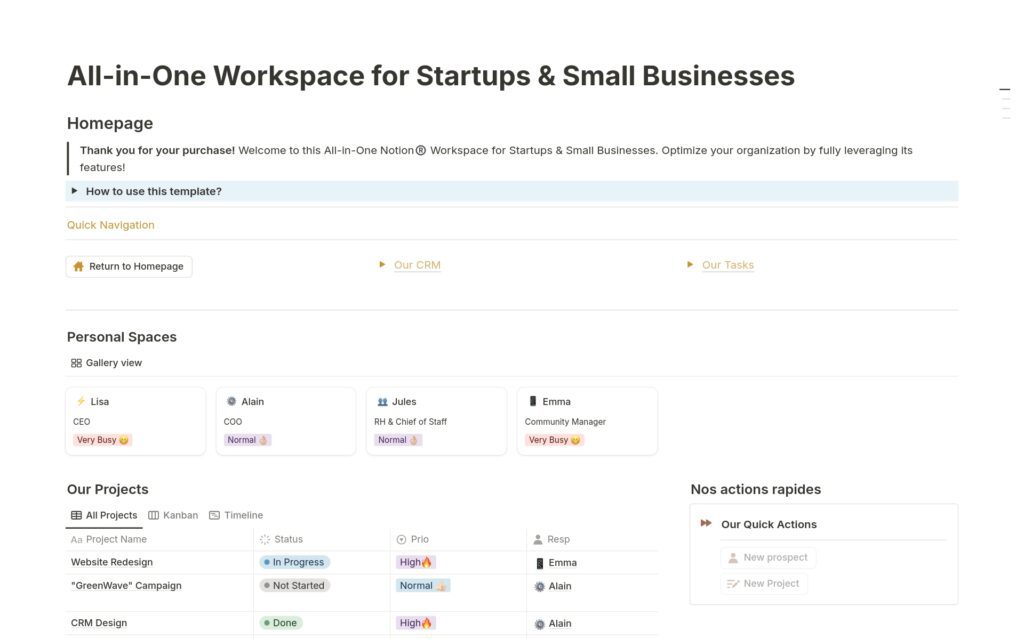
Notion combines note-taking, project management, and database management in one platform. Teams can design custom workflows, maintain shared knowledge bases, and document processes seamlessly. In 2025, Notion’s AI assists with content creation, task prioritization, and template suggestions, which helps remote teams save time and stay organized. It’s especially valuable for startups or small businesses that need flexible tools.
4. Trello: Visual Task Management
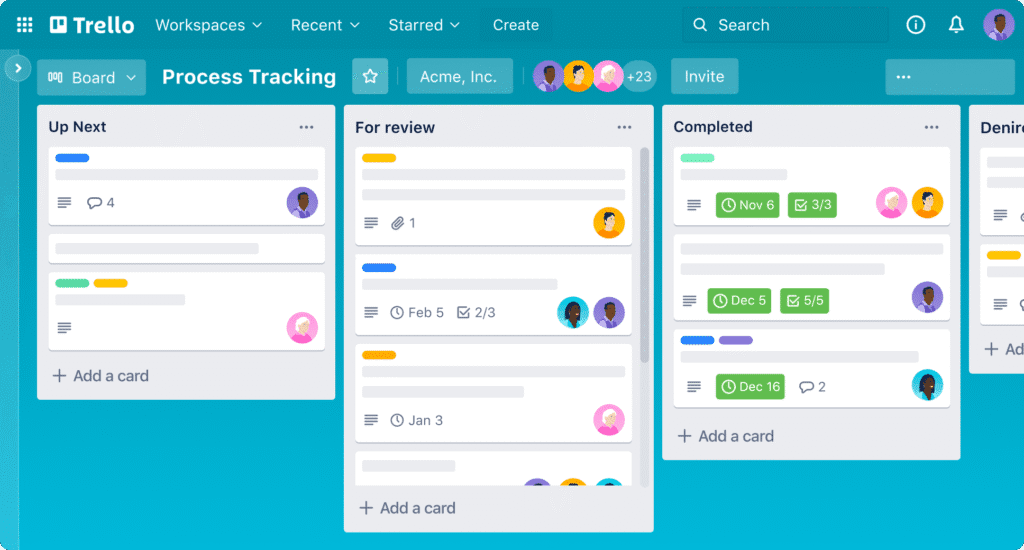
Trello’s card-based interface makes it easy to visualize projects. With its “Butler” automation in 2025, repetitive tasks, reminders, and status updates are handled automatically, freeing teams to focus on high-value work. Trello is ideal for creative teams or those who prefer visual task management rather than traditional list-based systems. Its integrations with Slack, Google Calendar, and other tools ensure a smooth workflow.
5. Microsoft Teams: Integrated Collaboration

Microsoft Teams combines chat, video conferencing, file sharing, and project collaboration in one platform. In 2025, AI features enhance meeting efficiency with live transcription, translation, and task assignment capabilities. Teams can manage documents collaboratively and track project progress without leaving the platform. For larger organizations, Microsoft Teams provides a scalable solution that ensures everyone stays connected and productive.
How to Choose the Right Productivity App for Your Team
Selecting the right app depends on team size, workflow preferences, and project complexity. Small teams may prefer Notion or Trello for flexibility, while larger teams benefit from Asana or Microsoft Teams’ robust project management features. Evaluating app integrations, automation capabilities, and AI features is essential to maximize productivity.
Additional Tip: Regularly Review App Usage
Even the best apps can become ineffective if underutilized. Conduct quarterly reviews to identify which apps your team uses most, which features are underused, and whether newer tools could replace less effective ones. This ensures your team stays efficient and leverages the full potential of modern productivity apps.
In 2025, remote teams have access to an unprecedented range of productivity apps. Tools like Asana, Slack, Notion, Trello, and Microsoft Teams provide solutions tailored to different workflows and team needs. By leveraging AI-powered features and automation, teams can improve communication, streamline task management, and achieve higher efficiency. Investing in the right productivity apps ensures that remote teams remain connected, organized, and successful in an increasingly digital workplace.




3 Comments